PayPal is used by over 430 million accounts worldwide. It is the default payment method for millions of freelancers, small business owners, and online sellers — trusted precisely because it is familiar, accessible, and accepted almost everywhere. What most of those users do not fully understand is how much that convenience actually costs them.
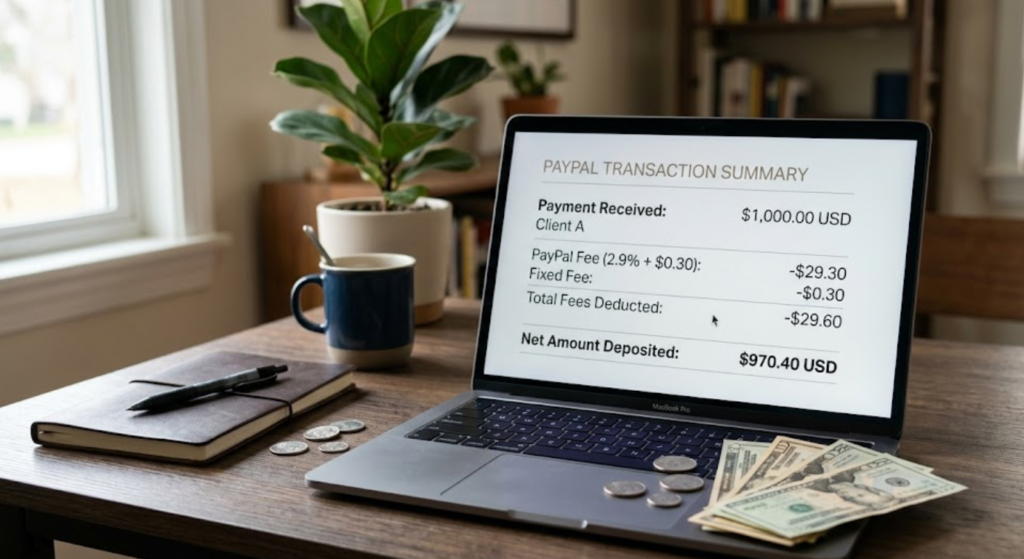
PayPal’s fee structure is not hidden in the sense of being illegal or deliberately concealed. Every fee is disclosed somewhere in its terms of service. What makes it effectively hidden is its complexity: multiple overlapping fee categories that interact in ways that are difficult to anticipate, default settings designed to maximize revenue rather than minimize user costs, and a foreign exchange markup that operates invisibly beneath the surface of every international transaction.
This guide breaks down every significant PayPal fee category — what triggers it, how much it costs, and crucially, whether it can be avoided or reduced. By the end, you will have a complete picture of what you are actually paying to use PayPal, and a clear framework for deciding whether that cost is justified for your specific use case.
How PayPal Makes Money: The Revenue Model Behind the Fees
Understanding why PayPal charges what it charges requires understanding its business model. PayPal is not a bank — it is a payment processor and financial technology company that earns revenue primarily through transaction fees, foreign exchange margins, interest on funds held in PayPal balances, and financial services products like PayPal Credit and Buy Now Pay Later.
Transaction fees are the most direct revenue source and the one most users encounter. But they interact with currency conversion margins, withdrawal fees, and account-type distinctions in ways that significantly affect the total cost of using the platform — often in ways that are not visible at the moment of each individual transaction.
PayPal’s fee structure also varies meaningfully by:
- Account type — personal accounts and business accounts have different fee schedules and different access to fee structures
- Transaction type — sending money to friends and family, receiving payments for goods and services, and currency conversion are all governed by different rules
- Funding source — whether the payment is funded by a PayPal balance, a linked bank account, or a credit card affects the fee significantly
- Geography — domestic and international transactions carry different fee structures, and PayPal’s fee schedules vary by country
- Volume — high-volume sellers may qualify for reduced rates through PayPal’s merchant rate programs
This multi-dimensional fee structure makes a comprehensive understanding essential for anyone who relies on PayPal for business transactions or regular transfers. What you pay depends heavily on details that PayPal’s interface does not always surface proactively.
Fee Category 1: Receiving Payments for Goods and Services
The most significant fee for businesses, freelancers, and sellers using PayPal is the standard transaction fee for receiving payments for goods and services. As of 2025, this fee is:
| Transaction Type | Standard Fee | Notes |
|---|---|---|
| Online transactions (US) | 3.49% + $0.49 | Standard rate for PayPal Checkout, invoices, payment links |
| PayPal standard checkout | 3.49% + $0.49 | Applied to buyer-initiated PayPal payments |
| QR code transactions (in-person) | 2.29% + $0.09 | Lower rate for face-to-face QR transactions above $10 |
| Invoicing | 3.49% + $0.49 | Same as online transactions when paid via PayPal |
| International commercial transactions | 3.49% + $0.49 + additional international fee | Additional 1.50% for payments from outside the US |
The compounding effect of these fees on a freelancer or small business is meaningful. A designer billing $2,000 for a project receives $1,930.02 after PayPal’s standard fee — a $69.98 deduction that the client paid in full. On $50,000 of annual invoicing, that same designer pays approximately $1,750 in transaction fees alone before any other PayPal costs are considered.
The “Friends and Family” workaround — and why it backfires
Many users are aware that sending money through PayPal’s “Friends and Family” option (technically called “Personal payments”) is fee-free for the sender when funded by a bank account or PayPal balance. This awareness has led to widespread use of the Friends and Family option to avoid goods and services fees — a practice that is both against PayPal’s terms of service and genuinely harmful to the parties involved.
The reason it backfires: goods and services payments are protected by PayPal’s Buyer Protection program. Friends and Family payments have no buyer protection and no seller protection. A client who pays for design work through Friends and Family and then disputes the payment has no recourse through PayPal — but neither does the designer if the client disputes the charge through their bank. The fee saved is a guarantee forfeited. For any commercial transaction, using the correct payment type is not optional — it is the mechanism that protects both parties if something goes wrong.
Fee Category 2: The Currency Conversion Markup — The Fee Nobody Sees
The most financially significant “hidden” fee in PayPal’s structure — the one that costs international users and businesses the most money while being the least visible — is the foreign exchange markup. PayPal applies a margin above the mid-market exchange rate (the rate banks use when exchanging currencies with each other) on every currency conversion it processes. This margin is the spread between what PayPal pays for the currency and what it charges you.
PayPal’s currency conversion fee is currently:
- 3.0% above the base exchange rate for conversions where PayPal performs the exchange (i.e., when the sender’s and recipient’s currencies differ and no other arrangement has been made)
- 4.0% above the base exchange rate in some cross-border scenarios depending on the specific currency pair and transaction type
To understand the real cost, consider a US-based freelancer receiving €2,000 from a European client. The mid-market EUR/USD rate on a given day might be 1.08, making the payment worth $2,160. PayPal applies its 3% markup, using an exchange rate of approximately 1.047 instead — delivering $2,094 to the freelancer rather than $2,160. That $66 difference is invisible in the transaction confirmation, which simply shows the converted dollar amount without indicating how it was calculated.
Over the course of a year, for a freelancer doing $40,000 in international billing, this invisible margin represents approximately $1,200 in additional cost beyond the transaction fees already paid.
The “currency conversion at checkout” trap
A related fee applies when you receive a payment in a foreign currency and PayPal offers to convert it to your home currency immediately. This is called “Dynamic Currency Conversion” and it carries PayPal’s conversion markup at the point of payment rather than when you withdraw. The alternative — receiving the foreign currency in your PayPal balance and converting later — does not avoid the markup but may allow you to time the conversion when the mid-market rate is more favorable.
For businesses receiving substantial international payments, the single most impactful cost reduction available is migrating international transfers to a dedicated international payment platform (Wise, formerly TransferWise; Revolut Business; or similar) that applies the mid-market rate with a smaller, transparent fee. The savings relative to PayPal’s embedded margin are typically substantial.
Fee Category 3: Withdrawal and Transfer Fees
Getting money out of PayPal is not always free — and the specific cost depends on how quickly you want the funds and where they are going.
| Withdrawal Type | Fee | Timeline |
|---|---|---|
| Standard bank transfer (US) | Free | 1–3 business days |
| Instant transfer to bank (US) | 1.75% (min $0.25, max $25) | Minutes |
| Instant transfer to debit card (US) | 1.75% (min $0.25, max $25) | Minutes |
| PayPal debit card cash withdrawal (ATM) | $2.50 per withdrawal + ATM operator fee | Immediate |
| International withdrawal / wire transfer | Varies by country; typically $0–$5 flat fee + exchange rate margin | 3–5 business days |
The instant transfer fee deserves particular attention. At 1.75% of the transferred amount, a freelancer who regularly needs fast access to funds — to cover payroll, pay suppliers, or manage cash flow — pays a meaningful premium for that speed. A $5,000 instant transfer costs $87.50. A $10,000 instant transfer costs $175. For businesses managing cash flow under pressure, this fee can become a significant recurring cost.
The free alternative — standard bank transfer — is free but takes 1–3 business days. For businesses that can plan their cash flow with that delay, the standard transfer avoids the instant transfer fee entirely. Building a buffer in your bank account that reduces the urgency of instant transfers is the simplest way to eliminate this cost category.
Fee Category 4: Sending Money Internationally
When PayPal is used to send money to recipients in other countries — remittances, payments to international contractors, cross-border business transactions — the fee structure reflects multiple layers of cost that accumulate into a total that is rarely competitive with alternatives purpose-built for international transfers.
International send fees depend on the funding source:
| Funding Source | Fee to Sender | Additional FX Fee |
|---|---|---|
| PayPal balance (same currency) | Free | N/A |
| PayPal balance (different currency) | Free to send | 3–4% FX markup applied to conversion |
| Linked bank account | Free to send | 3–4% FX markup if currency conversion occurs |
| Credit or debit card | 2.99% of the transaction amount | 3–4% FX markup if currency conversion occurs |
The true cost of an international PayPal transfer is therefore the combination of the sending fee (if any) plus the currency conversion markup (if currencies differ). A UK business paying a US contractor $3,000, funded by a UK credit card, might pay 2.99% ($89.70) in sending fees plus lose 3% ($90) to the FX markup — a total of approximately $179.70 on a $3,000 transaction, or nearly 6% of the payment value.
By comparison, Wise (now the leading international transfer service for many use cases) applies the mid-market rate with a transparent fee typically between 0.4% and 1.5% depending on the currency pair. The savings on the same $3,000 transaction could be $130 or more — money that stays in the business rather than going to PayPal’s FX margin.
Fee Category 5: Credit Card Funding Surcharges
When a payment sent through PayPal is funded by a credit card — whether the sender’s or, in some configurations, the recipient’s — an additional fee applies that reflects PayPal’s cost of processing the card transaction and its own margin above that cost.
For personal payments (Friends and Family) funded by credit card, the fee is currently 2.90% + $0.30 of the payment amount, charged to the sender. This fee applies even when the payment goes to a personal contact — the credit card funding is what triggers it, regardless of the relationship type.
This is one of the most commonly encountered “unexpected” fees. A user who sends $500 to a friend or family member through PayPal, funded by their credit card, finds that they have been charged $14.80 in PayPal fees on top of whatever credit card cash advance fees their card issuer may also apply (credit card companies sometimes classify PayPal payments as cash advances, carrying their own 3–5% fees and no grace period). The combination can make a credit-card-funded PayPal payment genuinely expensive for the sender.
The avoidance is straightforward: fund PayPal payments from a linked bank account or existing PayPal balance rather than a credit card whenever possible. The fee difference on a $500 transaction is $14.80 versus $0.00. Applied consistently over dozens of transactions, this behavioral change represents meaningful annual savings.
Fee Category 6: Chargeback and Dispute Fees
When a buyer initiates a chargeback — disputing a payment directly with their bank or card issuer rather than through PayPal’s own resolution process — the seller faces a fee regardless of the outcome of the dispute. PayPal’s chargeback fee is currently:
- $20 per chargeback for sellers in standard risk categories
- $20 per chargeback with potential for reduced fees ($8) in certain product categories for sellers who meet PayPal’s chargeback rate thresholds
The fee applies when the chargeback is filed — not when it is resolved. If the seller wins the dispute, PayPal may reimburse the fee, but this is not automatic and requires the dispute to be resolved explicitly in the seller’s favor through the chargeback process.
For businesses in high-chargeback industries — digital goods, subscription services, travel, certain retail categories — chargeback fees can accumulate rapidly. A business experiencing 20 chargebacks per month pays $400 per month, or $4,800 per year, in chargeback fees alone before accounting for the value of the disputed transactions themselves. At elevated chargeback rates, PayPal may also impose account holds, reserve requirements, or account termination — compounding the operational impact beyond the direct fee cost.
Protecting against chargebacks
PayPal’s Seller Protection program provides some relief — covering certain eligible transactions against unauthorized payment claims and “item not received” disputes, up to PayPal’s coverage limits. Ensuring that eligible transactions meet Seller Protection requirements (shipping with tracking, shipping to the confirmed address, responding to disputes within required timeframes) reduces chargeback exposure. Implementing clear refund and return policies that customers can use as an alternative to chargebacks also reduces the frequency of disputes that escalate to the chargeback level.
Fee Category 7: PayPal Reserves — The Hidden Cash Flow Cost
Less discussed than transaction fees but potentially more operationally disruptive is PayPal’s reserve practice — the ability to hold a percentage of a seller’s incoming funds in a reserve account for a defined period as protection against future disputes and chargebacks.
PayPal may apply a reserve to a seller’s account under several circumstances:
- New sellers without established PayPal transaction history
- Sellers whose chargeback or dispute rate exceeds defined thresholds
- Sellers in industries PayPal classifies as higher risk
- Sellers who have experienced a sudden spike in transaction volume
- Sellers whose account information has recently changed
There are two types of reserve:
- Rolling reserve — a percentage of each payment (typically 5–10%) is held for a rolling period (typically 90 days) before being released. On $10,000 per month in sales, a 5% rolling reserve withholds $500 of each month’s revenue for 90 days before releasing it.
- Minimum reserve — a fixed dollar amount must be maintained in the reserve at all times. New funds are withheld until the reserve reaches the required minimum.
Reserves do not cost a fee in the traditional sense — the money is not taken permanently. But the cash flow impact is real: funds that should be available for operations are inaccessible for the reserve period. For a small business operating with limited cash reserves, a PayPal rolling reserve can create genuine working capital constraints.
How to Reduce Your PayPal Fees: Practical Strategies
Understanding PayPal’s fee structure is only valuable if it leads to specific changes in how you use the platform. The following strategies address the most significant fee categories and, applied consistently, can substantially reduce what you pay to use PayPal without sacrificing the aspects of the platform that genuinely benefit your business.
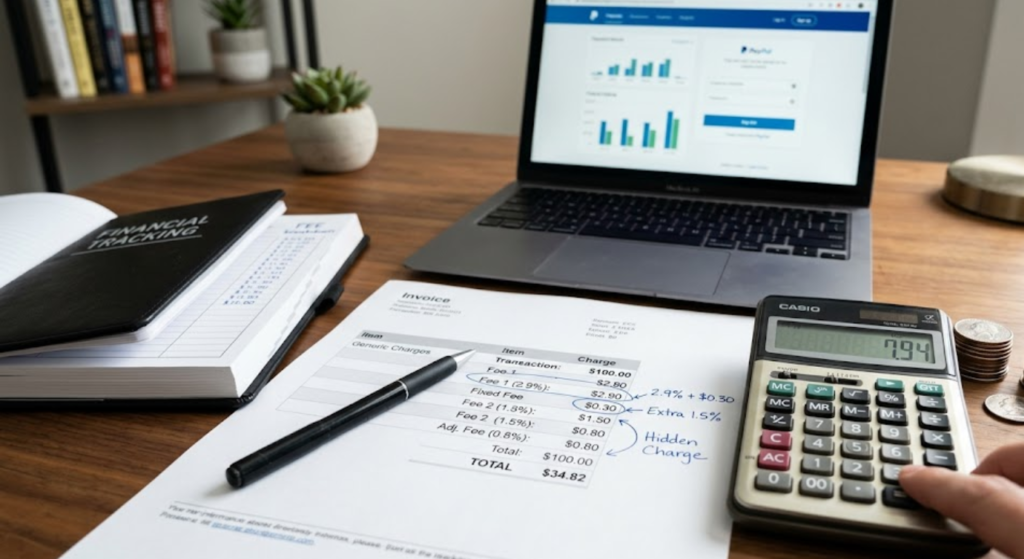
Strategy 1: Fund all payments from your bank account, not a credit card
Credit card funding adds 2.90% to personal payments and triggers the most expensive version of international transfer fees. Linking your bank account and making it the default funding source eliminates this surcharge entirely. The behavioral change is simple — one default setting change in your PayPal account — and the savings are immediate on every subsequent payment.
Strategy 2: Use standard transfers for non-urgent withdrawals
The 1.75% instant transfer fee is entirely avoidable by planning your withdrawals 1–3 business days in advance. Maintaining a working buffer in your bank account reduces the urgency of instant transfers and eliminates this cost category for most users. On $5,000 per month in withdrawals, choosing standard over instant transfers saves $87.50 per month — $1,050 per year.
Strategy 3: Migrate international transactions to a dedicated transfer service
For any international payment where currency conversion occurs, PayPal’s 3–4% FX markup makes it one of the most expensive mainstream options. Wise, Revolut Business, and similar services apply the mid-market rate with transparent fees typically below 1.5%. For businesses doing substantial international billing or paying international contractors, migrating these transactions away from PayPal is the single highest-impact fee reduction available.
Strategy 4: Explore merchant rate programs for high-volume sellers
PayPal offers reduced transaction fees for high-volume sellers through its merchant rate programs. Businesses processing above certain monthly thresholds may qualify for rates significantly below the standard 3.49% + $0.49. Contacting PayPal’s merchant services team to discuss volume-based pricing is worth doing for any business processing more than $10,000 per month through the platform.
Strategy 5: Evaluate whether PayPal is the right platform for each use case
PayPal is genuinely convenient for many transaction types — domestic payments from buyers who prefer PayPal, peer-to-peer transfers with existing PayPal contacts, and quick invoice payments from clients who use the platform regularly. It is not the most cost-effective option for international transfers, high-volume card-not-present transactions, or recurring subscription billing. Using PayPal where it is the best fit and alternative platforms where they are more cost-effective produces better economics than using PayPal for everything by default.
PayPal vs. Alternatives: How the Fee Structure Compares
Context for PayPal’s fees requires comparison to the alternatives most commonly used for the same transaction types:
| Use Case | PayPal Cost | Alternative | Alternative Cost |
|---|---|---|---|
| Receiving domestic payments (business) | 3.49% + $0.49 | Stripe | 2.9% + $0.30 |
| International transfer with FX conversion | 3–4% FX markup + send fee | Wise | 0.4–1.5% of amount |
| In-person QR payment | 2.29% + $0.09 | Square | 2.6% + $0.10 |
| Instant bank transfer | 1.75% (max $25) | Zelle (US) | Free |
| Freelance invoicing (domestic) | 3.49% + $0.49 | Stripe Invoicing | 2.9% + $0.30 |
PayPal is not the most expensive option in every category — but it is consistently above average in cost for most transaction types, and significantly above average for international transfers with currency conversion. The familiarity premium that PayPal commands — the value of being a payment method that most buyers already have an account with — is real. The question for each business is whether that familiarity premium exceeds the cost difference in their specific context.
Who Should Still Use PayPal — And Who Should Reconsider
PayPal’s fee structure does not make it the wrong choice for every use case. For many transaction types and business profiles, it remains a genuinely valuable platform whose cost is justified by the access it provides to buyers and the trust it provides in commercial relationships.
PayPal makes the most sense for:
- Businesses where buyers strongly prefer PayPal and its Buyer Protection — particularly in consumer goods, secondhand sales, and marketplace transactions
- Domestic transactions where the convenience of PayPal’s existing buyer base outweighs the fee premium over Stripe or Square
- Occasional personal payments between individuals where convenience and speed are the primary criteria
- Businesses that need a recognized, trusted payment brand on their checkout page and whose transaction volume does not yet justify enterprise payment processing
PayPal’s fees are hardest to justify for:
- International payments with currency conversion — the FX markup makes it substantially more expensive than purpose-built alternatives
- High-volume domestic transaction processing — Stripe’s lower base rate ($0.30 vs. $0.49 fixed fee) produces meaningful savings at scale
- Businesses regularly needing instant fund access — the 1.75% instant transfer fee adds a recurring cost that alternatives like Stripe’s Express Payouts (1% for instant) or Zelle (free, domestic) do not impose
- Subscription billing and recurring payments — dedicated subscription platforms offer more favorable economics at scale
The Bottom Line: What You Are Actually Paying
PayPal’s fee structure is not predatory — the fees are disclosed, the platform provides genuine value, and many of the charges reflect real costs of processing payments, managing disputes, and providing buyer and seller protections that competitors do not always match. What makes the fees “hidden” in practice is their complexity, their interaction with each other, and the default settings that funnel users into the most expensive options without requiring any active choice.
The informed PayPal user is not necessarily a lower-volume PayPal user. They are a user who understands which transactions are cost-effective on PayPal, which are not, and how to configure their usage to minimize unnecessary charges. Bank-funded transfers instead of card-funded ones. Standard withdrawals instead of instant ones. Alternative platforms for international conversions. Seller Protection compliance to manage chargeback risk.
These are not complex changes. They require understanding the fee structure once, making a small number of behavioral adjustments, and occasionally evaluating whether alternative tools serve specific use cases better. The savings from that one-time understanding — applied consistently over the life of a business — can amount to thousands of dollars per year that stays in the business rather than flowing through PayPal’s margins.
The fee structure will not change because users understand it. But the amount any individual business pays within that structure is entirely within their control — once they know exactly what they are paying and why.
Frequently Asked Questions
Does PayPal charge fees for receiving money from friends and family?
When the payment is funded by the sender’s PayPal balance or linked bank account, receiving a Friends and Family payment is free for both parties. When the sender funds the payment with a credit or debit card, the sender pays 2.90% + $0.30 — the fee falls on the sender, not the recipient. The recipient receives the full amount. However, as noted in this guide, using Friends and Family for commercial transactions removes all buyer and seller protections and violates PayPal’s terms of service.
What is PayPal’s currency conversion markup and can I avoid it?
PayPal applies a markup of 3–4% above the mid-market exchange rate on currency conversions. This markup is not itemized separately — it is embedded in the exchange rate shown at conversion. To minimize this cost, you can use a dedicated international transfer service (Wise, Revolut Business) for transactions requiring currency conversion, as these typically apply the mid-market rate with a smaller, transparent fee in the range of 0.4–1.5%.
Why did PayPal put a hold on my funds?
PayPal places holds on funds for several reasons: new sellers without transaction history, sellers whose dispute or chargeback rate has exceeded thresholds, sellers in high-risk categories, or accounts flagged for unusual activity. The hold is a reserve designed to cover potential refunds or chargebacks. Holds are typically released after 21 days or after the transaction is confirmed delivered (with tracking information). Building a consistent transaction history with low dispute rates is the most reliable path to reducing or eliminating holds over time.
Is Stripe cheaper than PayPal for small businesses?
For domestic online transactions, Stripe’s standard rate of 2.9% + $0.30 is lower than PayPal’s 3.49% + $0.49. On a $100 transaction, Stripe costs $3.20 versus PayPal’s $3.98 — a difference of $0.78. At $50,000 in annual transaction volume, that difference is approximately $390 per year. Stripe also has more favorable economics for recurring billing and enterprise use cases. PayPal’s advantage over Stripe is buyer familiarity and trust — the PayPal button on a checkout page converts at higher rates for certain buyer demographics, which may offset the fee difference in absolute terms.
How does PayPal’s chargeback fee work and can I dispute it?
When a buyer files a chargeback directly with their bank or card issuer, PayPal charges the seller $20 regardless of the outcome. If the seller wins the chargeback dispute, PayPal may refund the fee — but this requires that the dispute be explicitly resolved in the seller’s favor through the formal process, with the seller providing evidence and responding within required timeframes. The fee is not automatically reversed. Sellers should respond to every chargeback notification promptly and with complete documentation to maximize the probability of both winning the dispute and recovering the fee.
Disclaimer: Fee structures, rates, and policies referenced in this article reflect PayPal’s published terms as of mid-2025 and are subject to change. Always verify current fees directly with PayPal before making decisions based on specific rate information. This article is for informational purposes only and does not constitute financial or legal advice.