If you are building a business that accepts payments online, two names will surface in almost every conversation: PayPal and Stripe. They are the dominant forces in digital payment processing, collectively handling hundreds of billions of dollars in transactions annually, and between them they have shaped how the modern internet economy moves money. But despite the fact that both help businesses accept payments, they are fundamentally different products — built on different philosophies, optimized for different users, and excelling in different scenarios.

Choosing the wrong one doesn’t just cost you money in fees. It can mean a checkout experience that kills conversions, developer integrations that take months instead of days, customer disputes that drain your time, or payout timelines that strain your cash flow. The choice between PayPal and Stripe is one of the most consequential infrastructure decisions an online business makes — and it deserves more than a surface-level comparison of percentage fees.
This guide delivers exactly that: a comprehensive, honest, side-by-side analysis of PayPal and Stripe across every dimension that matters for businesses of different types and sizes. By the time you finish reading, you will know not just which platform charges less or which one is more popular — you will know which one is the right tool for your specific business, your technical capabilities, and your growth trajectory.
1. Company Background and Philosophy
Understanding what each company was built to do — and for whom — is the foundation of a genuinely useful comparison. PayPal and Stripe were built in different eras, for different users, solving different problems. Those origins shape everything about how each platform behaves today.
PayPal: The Consumer Trust Machine
PayPal launched in 1998 and became the payments backbone of eBay — solving one of the earliest and most important problems in e-commerce: how do two strangers trust each other enough to exchange money over the internet? PayPal’s answer was to become the trusted intermediary: neither buyer nor seller needed to share sensitive financial information with the other. They shared it with PayPal, and PayPal handled the rest.
This model generated something extraordinarily valuable over two decades: a consumer brand. Hundreds of millions of people have PayPal accounts. They recognize the logo. They trust it. When they see the “Pay with PayPal” button, friction drops — they don’t need to enter card details they may not have memorized; they simply log in and confirm. For merchants, that consumer trust translates directly into checkout conversion rates. That is PayPal’s most durable competitive advantage, and it is genuinely difficult for any competitor to replicate quickly.
PayPal has since expanded far beyond its eBay roots — acquiring Venmo, Braintree, Honey, and other properties — but its core identity remains that of a consumer-trusted payment brand rather than a developer-first infrastructure platform.
Stripe: The Developer’s Payment Infrastructure
Stripe was founded in 2010 by brothers Patrick and John Collison with a completely different focus. Their observation was that accepting payments online was far harder than it should be — the existing solutions required weeks of integration work, complex banking relationships, and APIs that felt like they had been designed by committees in the 1990s. Stripe’s mission was to fix this: to make accepting payments as simple as adding a few lines of code.
Stripe’s original customer was not the consumer paying for something — it was the developer building the system that accepts payments. This developer-first orientation produced a quality of API, documentation, and tooling that became the gold standard for the industry. It also attracted a specific type of customer: technology companies, startups, SaaS platforms, and marketplaces — businesses where the payments layer is a core infrastructure component built and maintained by engineering teams.
From that foundation, Stripe has expanded into a comprehensive financial infrastructure platform — offering not just payment processing but billing, fraud prevention, financial accounts, card issuing, tax automation, and financial reporting. But its character remains fundamentally developer-first: Stripe is a platform for building payment systems, not a brand that consumers recognize at checkout.
The fundamental difference in one sentence: PayPal is a brand that consumers trust; Stripe is infrastructure that developers love. Both process payments — but they do it for different people, in different ways, with different trade-offs.
2. Setup and Onboarding
PayPal Setup
PayPal’s setup process is designed for accessibility. Creating a business account takes minutes — you provide basic business information, link a bank account, and you can begin accepting payments almost immediately. No developer is required for the most basic implementation: PayPal provides pre-built payment buttons that can be embedded in a website with a snippet of HTML code, and its checkout integration with major e-commerce platforms (Shopify, WooCommerce, BigCommerce, Wix) is typically a matter of installing a plugin and entering your credentials.
For non-technical business owners, this ease of setup is a genuine and significant advantage. Getting from “zero” to “accepting payments” can be accomplished in a single afternoon without writing a line of code. PayPal’s no-code tools and platform integrations are mature, well-documented, and work reliably for standard use cases.
The tradeoff for this simplicity is customization. PayPal’s checkout experience has a recognizable look and feel that cannot be fully customized — you can adjust some elements, but buyers will always know they are being redirected to or interacting with PayPal’s interface. For businesses that prioritize a seamlessly branded checkout experience, this is a meaningful limitation.
Stripe Setup
Stripe’s onboarding is similarly fast for creating an account — you can sign up, receive test API keys, and begin building integrations within minutes. However, the path from account creation to accepting live payments requires either developer work or reliance on Stripe’s no-code tools (Stripe Payment Links and the Stripe Dashboard’s no-code payment options).
For technically capable teams, Stripe’s onboarding is exceptional: the documentation is among the best in the software industry, the testing environment is robust, and the API is designed to be intuitive. For non-technical business owners without developer resources, Stripe’s full capabilities may be difficult to access without help, though Stripe’s no-code options and its integrations with platforms like Shopify have made it significantly more accessible than it was in its early years.
Identity verification (Know Your Customer requirements) is required by both platforms before live payments can be processed, and both have automated most of this process — though both can also place accounts in a review period that temporarily limits functionality while verification is completed.
Setup verdict: PayPal is faster and easier for non-technical users. Stripe is better suited for teams with developer resources who want full control over the integration.
3. Fee Structure: A Complete Breakdown
Fees are where many PayPal vs. Stripe comparisons begin and end — but the headline rates tell only part of the story. The all-in cost of each platform depends on your transaction mix, your international volume, your chargeback rate, and which specific features you use.
Standard Transaction Fees
PayPal: 2.99% + $0.49 per transaction for standard card payments through PayPal Checkout. PayPal-to-PayPal payments (where the buyer pays from their PayPal balance) are typically 3.49% + $0.49. Additional fees apply for international transactions (1.5% cross-border fee) and currency conversion (approximately 3-4% spread above mid-market rate).
Stripe: 2.9% + $0.30 per successful card charge for domestic transactions. International cards add 1.5%. Currency conversion (when the charge currency differs from your settlement currency) adds 1%. ACH bank debits are 0.8%, capped at $5.00 — significantly cheaper than card processing for large domestic B2B payments.
At the headline level, Stripe’s per-transaction fee ($0.30) is lower than PayPal’s ($0.49), which matters increasingly for lower-value transactions. On a $10 transaction, that $0.19 difference represents nearly 2% of the transaction value. On a $500 transaction, it is negligible. The relative importance of the fixed fee component depends heavily on your average order value.
Refund Fees
This is a meaningful but frequently overlooked difference. Stripe returns the processing fee on refunded transactions — if a customer refunds a $100 purchase, Stripe returns the $2.90 + $0.30 it charged you when the payment was made (though it does not return the $0.30 separately; it is refunded proportionally). PayPal retains its fee on refunded transactions, returning only the fixed fee portion but keeping the percentage fee. For businesses with meaningful refund rates, this difference adds up — PayPal’s fee retention on refunds is a genuine cost that is easy to underestimate in projections.
Chargebacks and Disputes
PayPal: Charges a $20 dispute fee for claims that are not resolved in the seller’s favor, unless the transaction qualifies for PayPal’s Seller Protection program. Transactions covered by Seller Protection avoid this fee, but Seller Protection eligibility has specific requirements that not all transactions meet.
Stripe: Charges a $15 dispute fee for each chargeback, regardless of outcome — even if you win the dispute, the fee is non-refundable in most cases (though Stripe has introduced a fee refund for won disputes in some markets). Stripe Radar, its fraud prevention tool, helps reduce chargeback incidence proactively.
Volume Discounts
Both platforms offer custom pricing for high-volume merchants — typically accessible for businesses processing above $80,000-100,000 per month. Stripe’s enterprise pricing is widely regarded as more negotiable and more favorably structured than PayPal’s, particularly for businesses with complex payment flows or multi-product integrations across Stripe’s expanding platform.
Additional Product Fees
Both platforms have expanded into adjacent products that carry their own pricing. Stripe’s additional products — Stripe Billing for subscriptions, Stripe Radar for fraud prevention, Stripe Tax for automated tax calculation, Stripe Identity for KYC — are priced separately and can add meaningfully to the total cost for businesses that use multiple components of the platform. PayPal’s similar add-on services are generally less extensive but also carry additional fees for business-tier features.
Fee verdict: For standard domestic card processing, the fees are broadly comparable — Stripe’s lower fixed fee favors small transactions; PayPal’s lower percentage on some transaction types (particularly PayPal-funded payments) can be more competitive for specific use cases. Stripe has a clear advantage on refund handling. For international transactions, both platforms are expensive relative to specialized alternatives like Wise, but Stripe’s 1% currency conversion fee is lower than PayPal’s 3-4% exchange rate markup.
4. Checkout Experience and Conversion
Checkout conversion — the percentage of customers who begin a checkout process and complete a purchase — is one of the most important metrics in e-commerce. Payment friction is a measurable driver of cart abandonment, and the checkout experience each platform delivers has a direct impact on revenue.
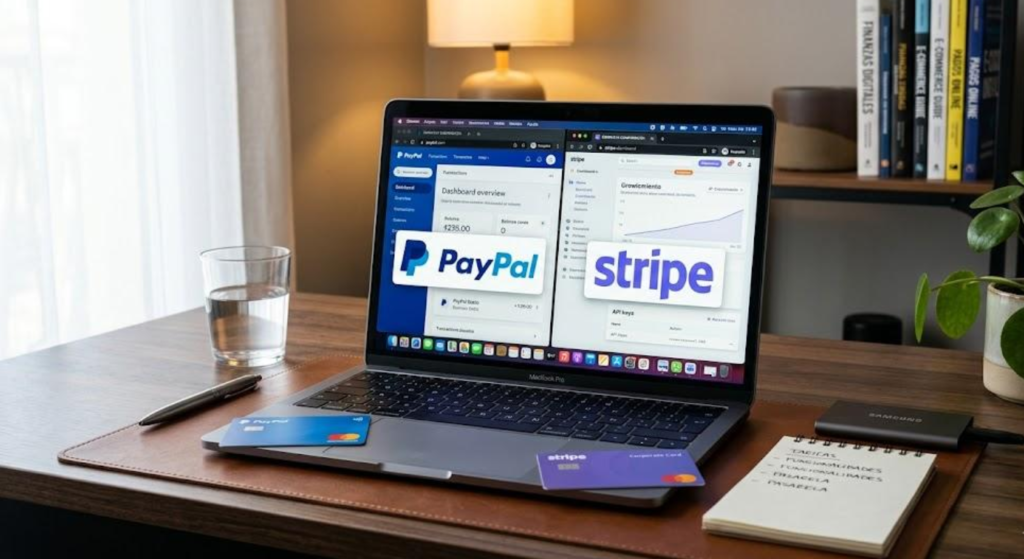
PayPal’s Conversion Advantage
PayPal’s installed base of active account holders is its single most powerful conversion asset. When a buyer clicks “Pay with PayPal” on a checkout page, they are offered the option to log in with credentials they already know — bypassing the need to enter a card number, billing address, and security code manually. For mobile shoppers in particular, where manual data entry is error-prone and tedious, this stored-credential convenience drives measurably higher conversion rates.
Research consistently shows that merchants offering PayPal as a checkout option observe higher conversion compared to card-only checkouts — a difference PayPal itself attributes to the recognition and trust its brand carries with consumers. PayPal also offers “Pay Later” (Buy Now, Pay Later) options that can increase average order value by making higher-priced purchases feel more accessible.
The limitation is design control. PayPal’s checkout interface is recognizably PayPal — the branding, the redirect (in some integration methods), and the overall experience are within PayPal’s design control, not yours. For brands that have invested heavily in a specific visual identity and seamless user experience, this loss of control can be frustrating, and the PayPal redirect can create a perceived interruption in the purchase flow.
Stripe’s Checkout Quality
Stripe’s checkout — through Stripe Elements (customizable UI components) or Stripe Checkout (a hosted payment page) — is technically excellent and highly flexible. Stripe Elements allows developers to embed individual payment components (card number, expiry, CVC) directly within the merchant’s own page design, with full visual customization. The checkout experience can be made entirely seamless with the merchant’s brand — no redirect, no visible Stripe branding, no interruption to the visual flow.
Stripe Checkout, the hosted payment page option, is high quality and conversion-optimized — it adapts to the device, supports multiple payment methods, and handles the complexity of international payment preferences automatically. It lacks the raw conversion power of PayPal’s brand recognition, but it is a polished, professional checkout experience that outperforms most custom-built solutions.
Stripe also supports a broad range of payment methods — Apple Pay, Google Pay, Link (Stripe’s own saved-card network), Klarna, Afterpay, and many country-specific payment methods — providing the payment method flexibility that international businesses require.
Checkout verdict: PayPal has the conversion advantage for consumer audiences who recognize and trust the brand — particularly for businesses whose customers skew toward the demographics most likely to have PayPal accounts. Stripe has the advantage in design flexibility, payment method breadth, and the quality of the developer-built checkout experience. For enterprise and B2B contexts where PayPal’s consumer brand is less relevant, Stripe’s superior customization is the more important factor.
5. Developer Experience and API Quality
For businesses with technical teams, the quality of a payment platform’s API, documentation, testing environment, and developer tooling matters enormously — it determines how long integration takes, how reliable the resulting system is, and how efficiently new features can be added over time.
Stripe’s Developer Experience
Stripe’s developer experience is widely regarded as the best in the payments industry — and arguably among the best of any API product in any industry. The documentation is comprehensive, accurate, and well-organized, with code examples in every major programming language. The testing environment is robust, with pre-built test card numbers for every scenario (successful payment, declined card, 3D Secure authentication, insufficient funds), making it straightforward to build and verify integrations before going live.
The Stripe Dashboard gives developers and business users clear visibility into transactions, customers, disputes, and payouts. Webhooks are reliable and well-documented. SDKs are maintained for all major languages and updated regularly. The Stripe CLI enables local testing and webhook simulation. All of these elements combine to produce an integration experience that developers consistently describe as enjoyable rather than painful — a distinction that translates directly into faster implementation and lower development cost.
PayPal’s Developer Experience
PayPal’s developer experience has improved significantly over the years but remains meaningfully behind Stripe’s standard. The documentation is more fragmented — PayPal has accumulated multiple API versions (NVP/SOAP APIs, REST APIs, JavaScript SDK, newer checkout integrations) over decades, and navigating between them can be confusing. The testing sandbox environment works but has historically been less reliable and less feature-complete than Stripe’s equivalent.
PayPal has invested in improving its developer tools, and its current REST API and JavaScript SDK are considerably cleaner than its legacy interfaces. But for developers who have worked with both platforms, the consensus is consistently that Stripe’s developer experience is superior — faster to learn, more reliable in practice, and better maintained over time.
Developer verdict: Stripe wins clearly. For businesses with engineering teams building payment systems, Stripe’s API quality, documentation, testing environment, and overall developer experience represent a significant productivity advantage over PayPal.
6. Payout Speed and Cash Flow
PayPal Payouts
PayPal maintains a balance within the PayPal platform that can be spent directly, transferred to a linked bank account, or withdrawn to the PayPal debit card. Standard bank transfers take 1-3 business days. Instant transfers — available to eligible users — deliver funds to a linked debit card within minutes, for a fee of 1.75% of the transfer amount (minimum $0.25, maximum $25). This fee on every instant transfer is a meaningful recurring cost for businesses that need frequent fast access to funds.
PayPal also has a well-documented history of placing holds on funds — particularly for new accounts, accounts with sudden transaction spikes, or accounts in higher-risk categories. These holds, which can last 21 days, are one of the most significant cash flow risks associated with using PayPal as a primary payment processor. For businesses with predictable, low-dispute transaction histories, holds become less common over time — but the risk never fully disappears.
Stripe Payouts
Stripe operates on a rolling payout schedule — by default, funds from transactions are deposited to your linked bank account on a two-business-day rolling basis (T+2) after the transaction is processed. This means transactions processed on Monday arrive in your bank account on Wednesday, Tuesday’s transactions arrive Thursday, and so on. The schedule is predictable, automatic, and requires no action from the merchant.
Instant payouts are available to eligible Stripe users, delivering funds to a linked debit card within minutes, 24 hours a day, 7 days a week, for a fee of 1% of the payout amount (minimum $0.50). The 1% fee is notably lower than PayPal’s 1.75%, and the absence of a cap means larger payouts benefit from a predictable percentage cost rather than being capped at $25.
Stripe does implement holds for new accounts — a standard practice across all payment processors — but its risk assessment tends to be more predictable and its communication about holds more transparent than PayPal’s. Once an account has established a processing history, Stripe’s payout schedule becomes extremely reliable.
Payout verdict: Stripe’s standard two-day rolling payout schedule is comparable to PayPal’s standard timeline, but Stripe’s instant payout fee (1%) is lower than PayPal’s (1.75%), and the predictability of Stripe’s payout timing is generally rated more highly. Stripe’s approach to fund holds is more transparent and rule-based than PayPal’s, reducing the cash flow unpredictability that many PayPal merchants experience.
7. International Payments and Global Reach
PayPal International
PayPal operates in over 200 countries and supports approximately 25 currencies — its global consumer brand recognition gives it coverage in markets where alternative platforms have limited presence. For merchants, this means that PayPal can be offered as a payment option to buyers in virtually any country where internet commerce exists.
The cost of PayPal’s international capabilities is high. Cross-border transactions incur a 1.5% fee on top of standard transaction fees. Currency conversion applies a 3-4% markup above the mid-market exchange rate. An international transaction from a European buyer paying in EUR to a US merchant settling in USD can effectively cost 5-7% in total fees — a meaningful margin reduction for international sales.
Stripe International
Stripe is available in approximately 50 countries for businesses (where merchants can create Stripe accounts and accept payments) and accepts payments from customers in virtually any country globally. Its currency support is extensive, with presentment in 135+ currencies, automatic currency conversion, and the ability to settle in your local currency or hold balances in multiple currencies.
Stripe’s international transaction fees — a 1.5% cross-border fee plus 1% for currency conversion — are lower than PayPal’s equivalent costs. The mid-market conversion rate with a 1% fee compares very favorably to PayPal’s 3-4% exchange rate markup. For businesses with significant international revenue, this difference can be worth thousands of dollars annually.
Stripe also offers local payment methods in each market — iDEAL in the Netherlands, Bancontact in Belgium, SEPA Direct Debit across Europe, Alipay and WeChat Pay for Chinese consumers, and many others — enabling merchants to present buyers with the payment method they prefer rather than requiring all international buyers to use a card.
International verdict: Stripe has lower fees and better local payment method support for international transactions. PayPal has broader consumer brand recognition in markets where buyers may actively look for the PayPal option. International businesses often find value in offering both as checkout options — Stripe for the processing infrastructure and PayPal as an option for buyers who specifically prefer it.
8. Recurring Billing and Subscriptions
For SaaS companies, subscription businesses, and any merchant with recurring revenue, the quality of a payment platform’s subscription and billing capabilities is critical.
PayPal Subscriptions
PayPal offers subscription billing through its Subscriptions API, which allows merchants to create plans and manage recurring payments from customers who authorize PayPal to charge them on a schedule. The feature works but is comparatively limited in its flexibility — complex billing scenarios (usage-based billing, tiered pricing, metered charges, trial periods with specific conditions, proration logic) require significant custom development work to implement on top of PayPal’s API.
PayPal’s subscription billing is adequate for simple, fixed-price recurring plans. It is not well-suited for businesses with complex billing logic that needs to evolve rapidly as the product and pricing strategy develops.
Stripe Billing
Stripe Billing is one of the most sophisticated subscription management platforms available. It handles virtually every billing scenario out of the box: flat-rate subscriptions, per-seat pricing, usage-based billing, metered billing, tiered pricing, free trials, discount codes, multiple subscription items per customer, proration on plan changes, invoice management, dunning (automated failed payment recovery), and tax calculation.
The customer portal feature allows subscribers to manage their own subscriptions — upgrading, downgrading, canceling, and updating payment methods — without requiring merchants to build this interface themselves. For SaaS businesses in particular, where billing complexity is high and subscriber self-service is expected, Stripe Billing provides a level of functionality that would take months to build independently.
Subscription verdict: Stripe Billing is significantly more capable than PayPal’s subscription offering for businesses with any meaningful billing complexity. For simple recurring plans, both work. For anything more sophisticated, Stripe is the clear choice.
9. Fraud Prevention and Dispute Management

PayPal Fraud Prevention and Seller Protection
PayPal’s Seller Protection program covers eligible transactions against unauthorized payment claims and “item not received” claims, providing a layer of protection that is particularly valuable for physical goods merchants. When a transaction qualifies for Seller Protection (requirements include shipping to the confirmed address, using trackable shipping, and responding to disputes within the required timeframe), PayPal absorbs the dispute cost rather than passing it to the merchant.
The limitation is that Seller Protection is not a fraud prevention tool — it is a dispute resolution backstop. It does not prevent fraudulent transactions from occurring; it provides a path to recover from certain dispute types after they occur. PayPal’s fraud detection on the acquiring side is solid but not as sophisticated or as customizable as Stripe’s dedicated fraud tooling.
Stripe Radar
Stripe Radar is a machine learning-based fraud detection system that evaluates every transaction in real time, applying risk scores based on patterns across Stripe’s global transaction network. Because Stripe processes an enormous volume of transactions across thousands of businesses, its ML models have access to network-level signals that individual merchants cannot replicate — a new card being used fraudulently on one Stripe merchant’s platform may be flagged before it is used on another’s.
Radar allows merchants to create custom rules — blocking transactions from specific countries, requiring 3D Secure authentication above certain amounts, blocking cards associated with previous chargebacks — without developer work. It also provides risk scores and explanations for declined transactions, giving merchants visibility into why specific transactions were blocked.
Stripe Radar for Fraud Teams (a premium tier) adds additional controls, manual review queues, and deeper analytics for businesses with high fraud exposure or dedicated risk management teams.
Fraud verdict: Stripe Radar is a more sophisticated proactive fraud prevention tool. PayPal’s Seller Protection is a valuable reactive dispute resolution mechanism. For businesses with high chargeback rates or complex fraud patterns, Stripe’s ML-based prevention is more effective. For businesses selling physical goods where “item not received” disputes are the primary risk, PayPal’s Seller Protection provides a meaningful backstop.
10. Integrations and Ecosystem
PayPal Integrations
PayPal integrates natively with virtually every major e-commerce platform — Shopify, WooCommerce, BigCommerce, Magento, Wix, Squarespace, and many others — typically as a first-party integration requiring only credentials to activate. This broad, well-maintained integration coverage makes PayPal extremely accessible for businesses built on major e-commerce platforms. PayPal also connects with major accounting software (QuickBooks, Xero) and ERP systems.
Stripe Integrations
Stripe’s integration ecosystem is built differently: rather than maintaining first-party integrations with every platform, Stripe provides a high-quality API and comprehensive SDKs that allow third parties to build Stripe integrations. The result is that Stripe integrations exist for virtually every major platform, accounting system, CRM, and business tool — often at the same or higher quality than PayPal’s integrations — but they may be maintained by third parties rather than Stripe directly.
Stripe Apps (available through the Stripe Dashboard) and the broader Stripe partner ecosystem have expanded significantly, providing no-code and low-code integration options alongside the developer-focused API. For businesses already operating within popular platforms, both PayPal and Stripe are likely available as payment options — the integration question is primarily relevant for businesses building custom implementations.
Integration verdict: Both platforms integrate broadly with major e-commerce and business platforms. PayPal’s integrations tend to be simpler to activate for non-technical users on mainstream platforms. Stripe’s API and developer ecosystem are superior for custom integrations and complex business logic.
11. Which Platform Fits Which Business Size
Solo Sellers, Freelancers, and Very Small Businesses
PayPal has the edge for the simplest use cases. If you are a freelancer sending invoices to US clients, a sole trader selling handmade goods online, or a solo service provider who needs to collect payment from occasional customers — PayPal’s ease of setup, no-code invoicing, and consumer brand recognition make it the lower-friction starting point. Your clients are likely to already have PayPal accounts, and the “Send an invoice” feature requires no technical knowledge to use.
Growing E-Commerce Businesses
Both platforms are viable, and many growing e-commerce businesses use both simultaneously — Stripe for the primary payment processing infrastructure and PayPal as an alternative checkout option for buyers who prefer it. If your platform is Shopify, both integrate cleanly. The decision between them as the primary processor comes down to average order value (Stripe’s lower fixed fee favors smaller transactions), international volume (Stripe’s lower conversion fees favor international sales), and your development resources (Stripe rewards technical investment with more capability).
SaaS and Subscription Businesses
Stripe is clearly better for SaaS and subscription businesses. Stripe Billing’s depth of functionality — usage-based billing, metered charges, complex trial logic, customer portal, dunning management — is unmatched by PayPal’s subscription offering. If recurring revenue is your primary business model, Stripe is almost certainly the right foundation.
Marketplace and Platform Businesses
Stripe wins for platforms that need to collect payments from buyers and distribute them to sellers, service providers, or contractors. Stripe Connect — designed specifically for marketplace payment flows — provides sophisticated tools for onboarding sub-accounts, splitting payments, managing platform fees, and handling compliance across multiple recipients. PayPal’s marketplace capabilities (PayPal Commerce Platform) exist but are less developer-friendly and less flexible than Stripe Connect.
Enterprise and High-Volume Businesses
Both are viable at enterprise scale, with both offering custom pricing, dedicated account management, and advanced features for high-volume merchants. Stripe’s technical sophistication and expanding financial services platform (Stripe Treasury, Stripe Issuing, Stripe Capital) make it particularly attractive for enterprise businesses seeking to embed financial products into their own offerings. PayPal’s enterprise offering (through Braintree) is the more relevant PayPal product at this scale — Braintree provides the developer-grade infrastructure that the consumer PayPal product lacks.
12. Side-by-Side Comparison Table
| Feature | PayPal | Stripe |
|---|---|---|
| Standard card fee | 2.99% + $0.49 | 2.9% + $0.30 |
| Refund fee handling | Retains percentage fee on refunds | Returns processing fee on refunds |
| Dispute/chargeback fee | $20 (waived with Seller Protection) | $15 (non-refundable in most cases) |
| Currency conversion | ~3-4% markup above mid-market | 1% above mid-market |
| Standard payout speed | 1-3 business days | 2 business days (rolling) |
| Instant payout fee | 1.75% (max $25) | 1% (min $0.50) |
| Setup difficulty | Very easy (no code required) | Moderate (developer recommended) |
| Developer API quality | Good | Industry-leading |
| Consumer brand recognition | Very high | Low (invisible to consumers) |
| Checkout customization | Limited | Full |
| Subscription billing | Basic | Advanced (Stripe Billing) |
| Fraud prevention | Seller Protection (reactive) | Stripe Radar (proactive ML) |
| Marketplace payments | PayPal Commerce Platform | Stripe Connect (superior) |
| Local payment methods | Limited | Extensive (135+ countries) |
| Available countries (merchants) | 200+ | ~50 |
| Fund hold risk | Higher | Lower (more predictable) |
13. The Honest Verdict
The PayPal vs. Stripe comparison does not have a universal winner — it has a winner for each specific business situation. Declaring one platform categorically superior ignores the genuine strengths each brings to the use cases it was designed for.
PayPal is the better choice when:
- Your customers are consumers who recognize and trust the PayPal brand and are likely to have existing accounts
- You need to get started quickly without developer resources
- You sell physical goods where PayPal’s Seller Protection provides meaningful dispute coverage
- You operate in markets where PayPal’s consumer presence is strong and alternative payment options are limited
- You use a major e-commerce platform and want the simplest possible payment integration
Stripe is the better choice when:
- You have developer resources and want full control over the payment and checkout experience
- You run a SaaS company, subscription business, or platform that requires sophisticated recurring billing
- You process significant international volume and want lower currency conversion costs
- You are building a marketplace or platform that needs to distribute payments to multiple recipients
- You want proactive ML-based fraud prevention rather than reactive dispute resolution
- You are building a business where the payment layer is a core infrastructure component, not just a button on a website
Use both when:
The most pragmatic answer for many growing businesses is to use Stripe as the primary payment infrastructure and offer PayPal as an additional checkout option. This approach captures the best of both worlds: Stripe’s technical quality, lower international fees, superior subscription capabilities, and developer experience as the foundation, with PayPal’s consumer brand recognition as an optional checkout path for the significant segment of buyers who prefer it. Both platforms support this configuration, and many of the world’s most successful e-commerce businesses operate exactly this way.
In 2026, the payments landscape is more competitive than it has ever been, and both PayPal and Stripe have continued to invest in their platforms. Neither is standing still. The gap between them in developer experience has motivated PayPal to invest more in its API quality; Stripe’s growing ambition in consumer-facing products has pushed it further into PayPal’s territory. Both will continue to evolve — which is why the decision should be revisited periodically as your business needs change and both platforms’ capabilities develop.
Know what your business needs from a payment platform. Then choose the tool that delivers it. That is the only comparison that actually matters.
Disclaimer: Fee structures, product features, and availability for PayPal and Stripe are subject to change without notice. All figures cited reflect publicly available information as of early 2026. Always verify current pricing and terms directly with each provider before making business decisions. This article is for informational purposes only and does not constitute financial or legal advice.
About This Article
This guide is part of our ongoing series on payment platforms, merchant tools, and digital commerce infrastructure. If you found this comparison useful, explore our full library of payment platform reviews, fee calculators, and integration guides. Have a question about which platform fits your specific situation?